Free Writing Fonts for Cricut: What You Need to Know
If you want to take your crafting to the next level, try these free writing fonts for
This post contains affiliate links, and I will be compensated if you make a purchase after clicking on my links. For more information, please see my disclosures.
What is a writing font?
In
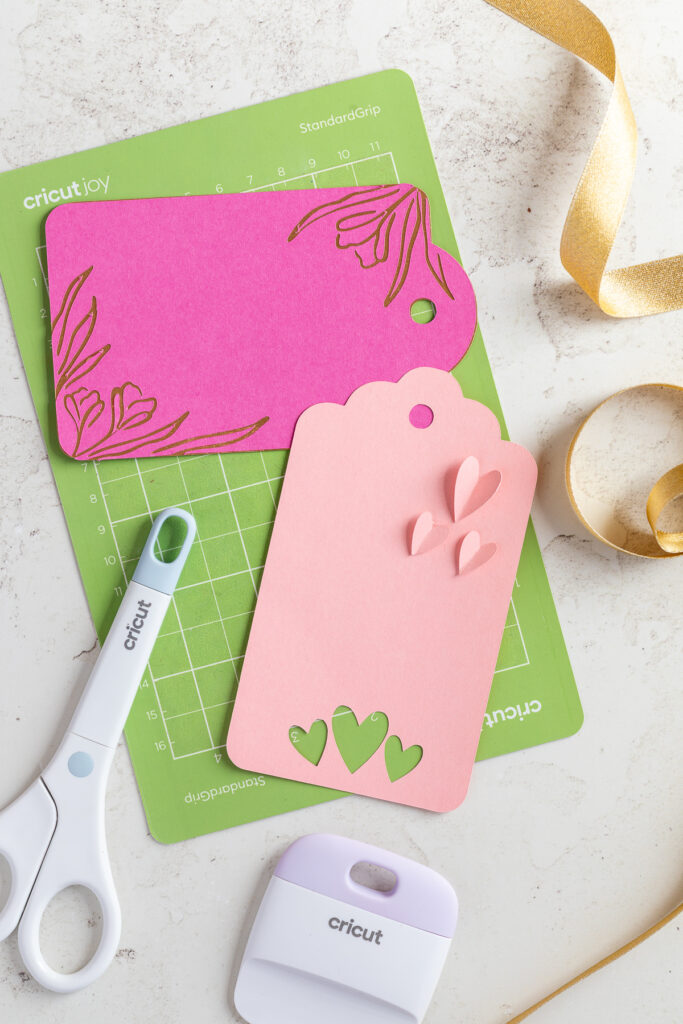
Some projects, like greeting cards and gift tags, use a combination of cutting and drawing.
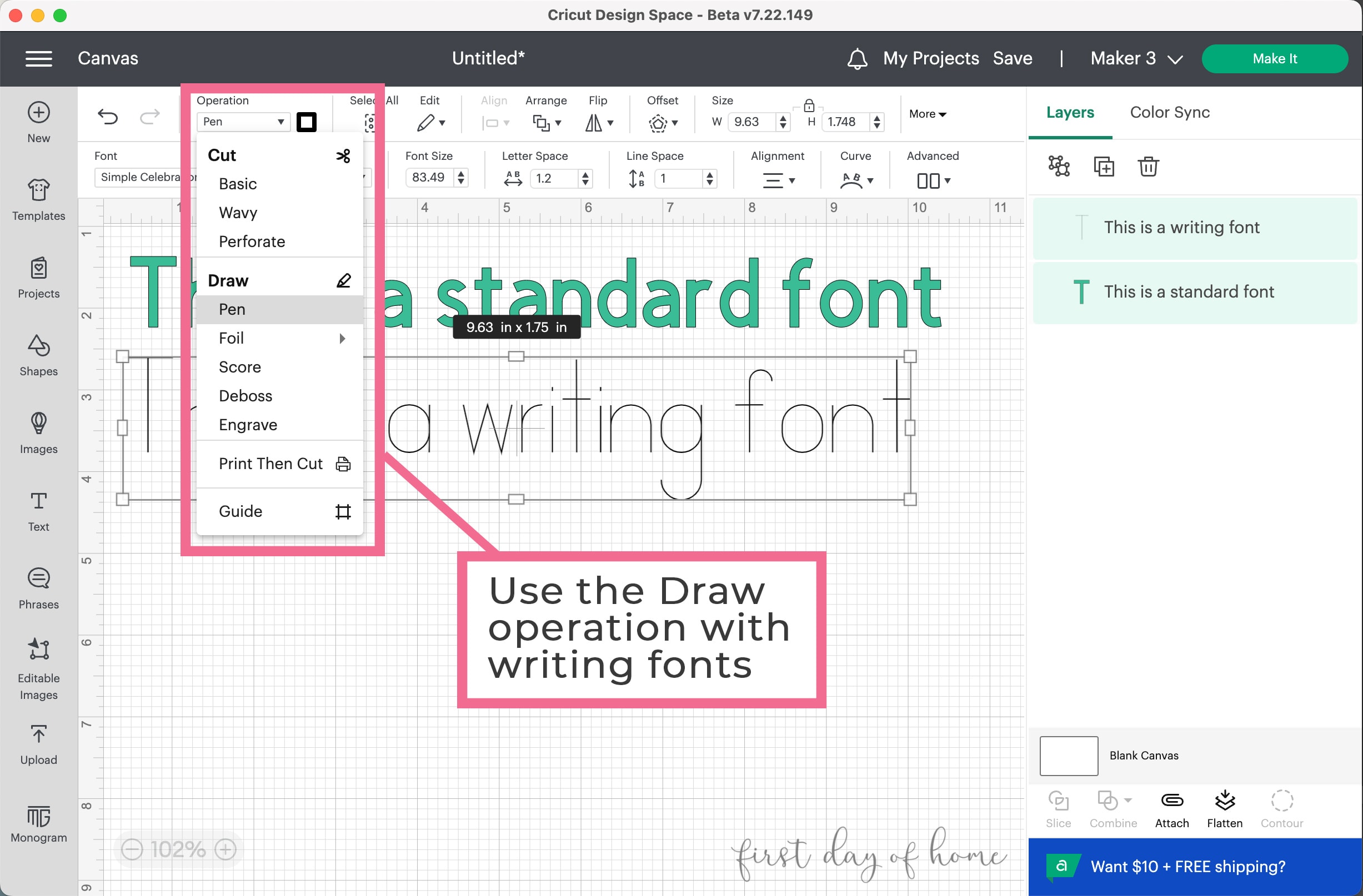
In this article, we’ll discuss the Draw operation with Cricut pens (or a compatible pen adapter). This feature comes in handy when you want to personalize invitations, greeting cards, or gift tags to make them look handwritten.
You can also use drawing fonts with Cricut infusible ink pens for projects like DIY coasters and mugs.
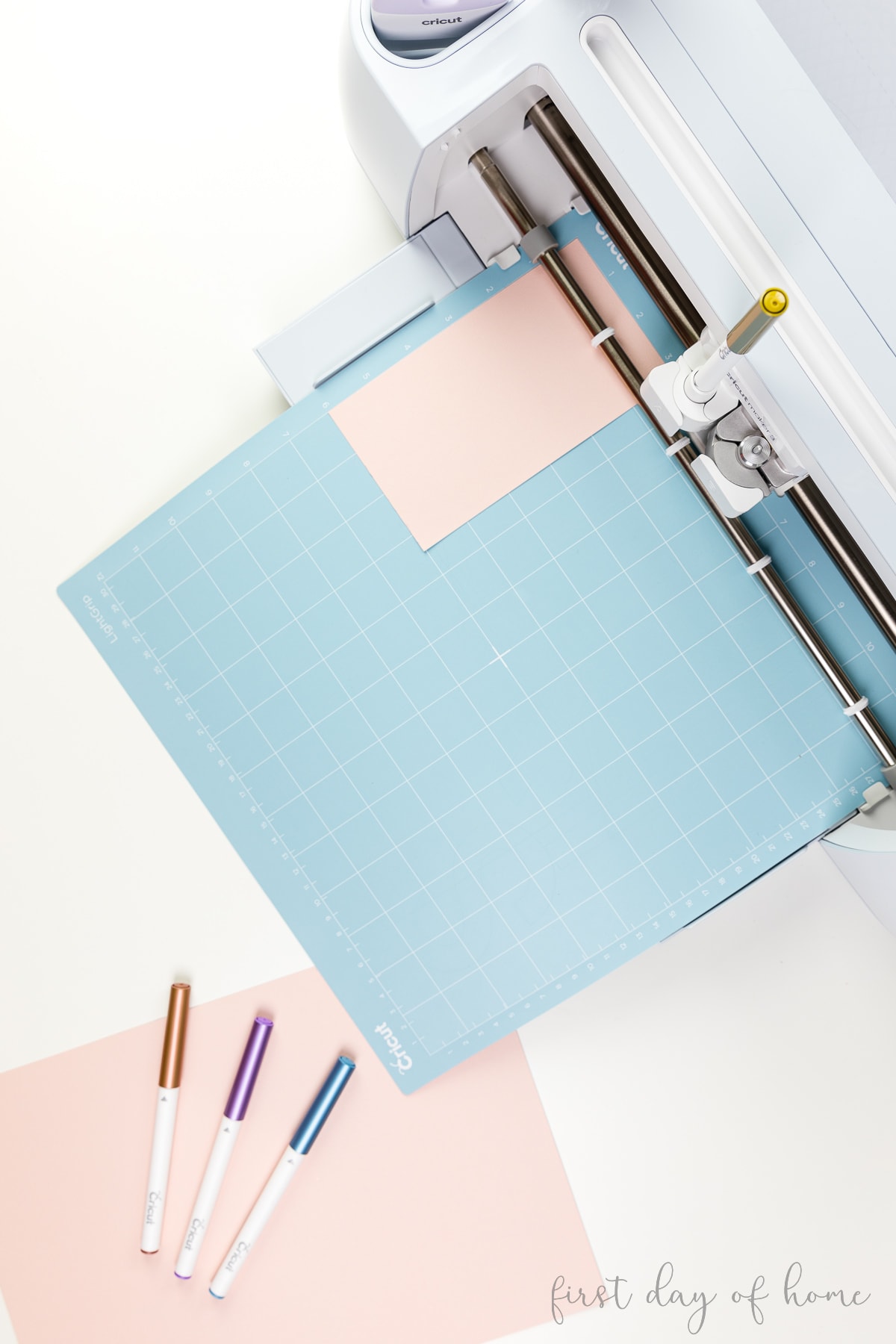
To Draw with your
You can also foil, score, deboss, and engrave under the Draw menu, depending on your machine compatibility. Don’t feel limited to using pens!
Note on Pens
Full-size Cricut pens will work on most Cricut Explore or Cricut Maker machines. The Cricut Joy, Joy 2, and Joy Xtra have their own set of pens, but you can also buy an adapter to fit standard-size pens in those machines.
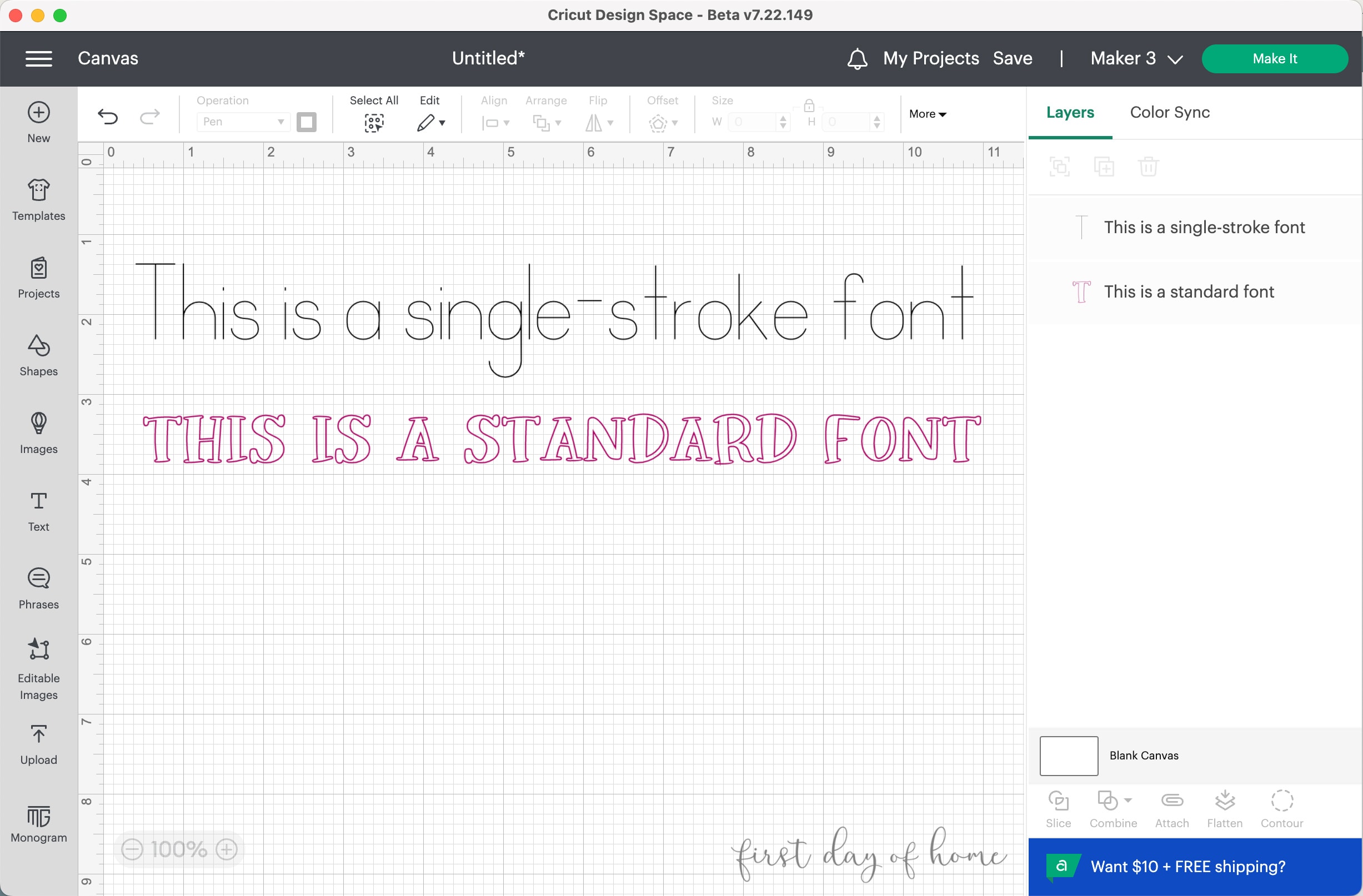
As you’ll see below, true writing fonts have a single-stroke and monoline style–each letter is the same thickness from beginning to end.
Standard (non-writing) fonts will be drawn as outlines of the letters instead (see the pink font in the comparison below).
Related: Best Free Fonts for Cricut Crafts
How do you select a writing font in Cricut Design Space?
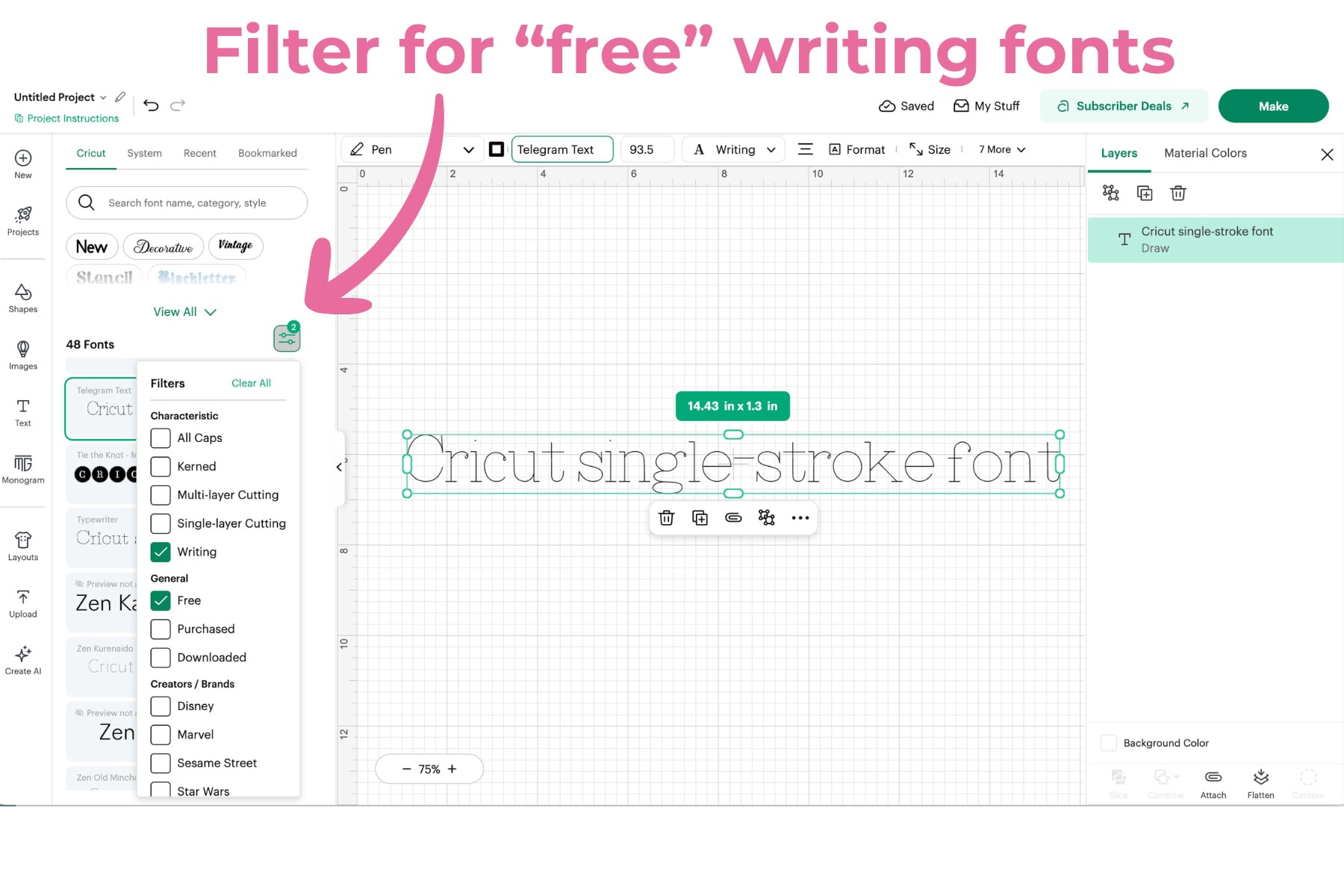
Cricut Design Space has 25-50 writing fonts for free, though some look like outlines rather than single strokes. You can buy more fonts individually or subscribe to Cricut Access to get the best selection.
If you’re using a pen, your machine will prompt you to insert it into Clamp A when you click “Make It.”
Note: If you try to select Basic Cut on a single-stroke
15 Free Writing Fonts for Cricut
To get started with more writing fonts, check out the collection I’ve curated below!
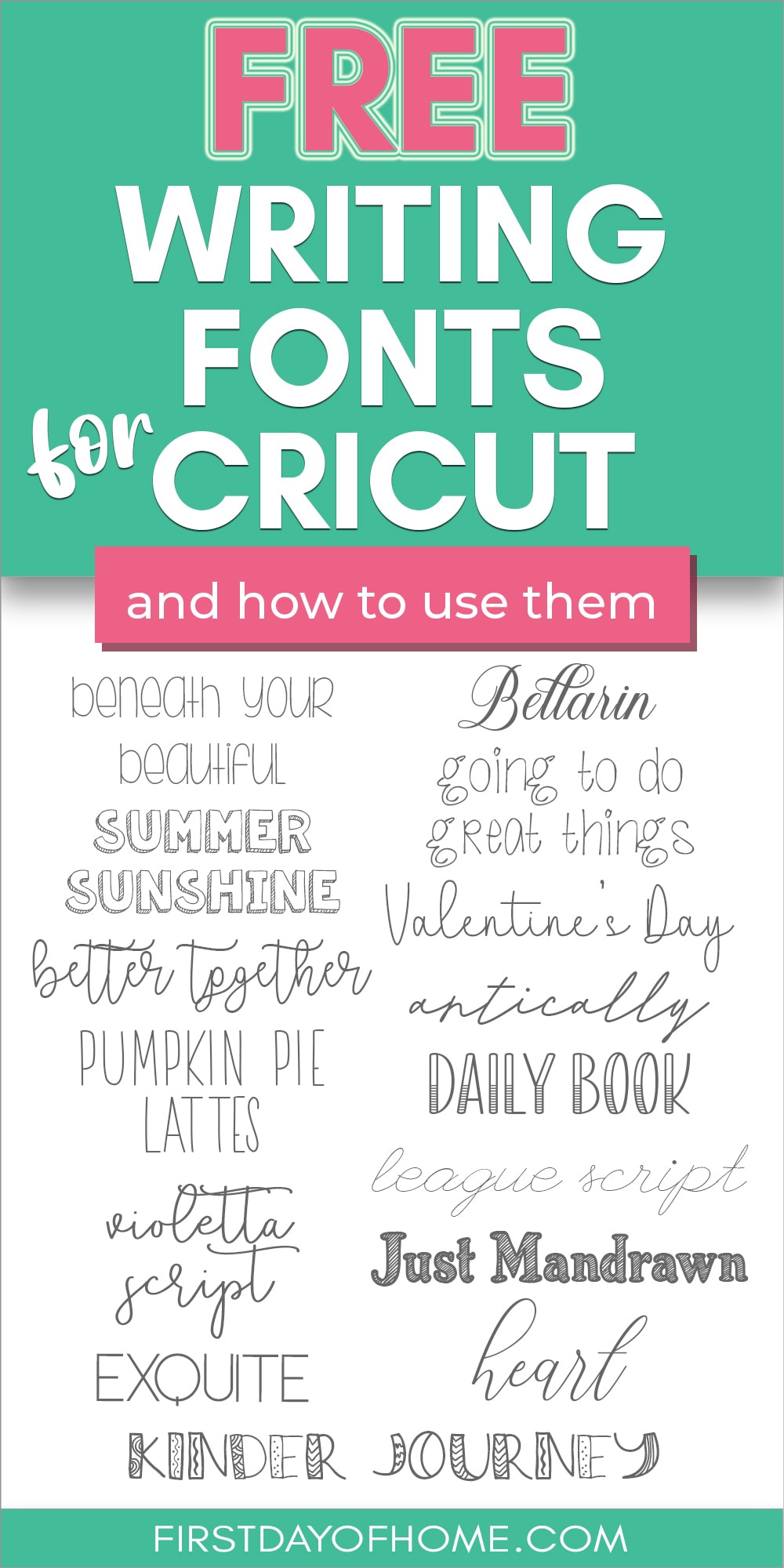
Before you download these free fonts, let’s talk about one tradeoff. You won’t find a “perfect” writing font outside of
Cricut Design Space will read the outline of any external font no matter how skinny it is. See below for an example of how this appears with the non-Cricut font Antically. It looks like it should be a single-stroke font, but you’ll still get a skinny outline.
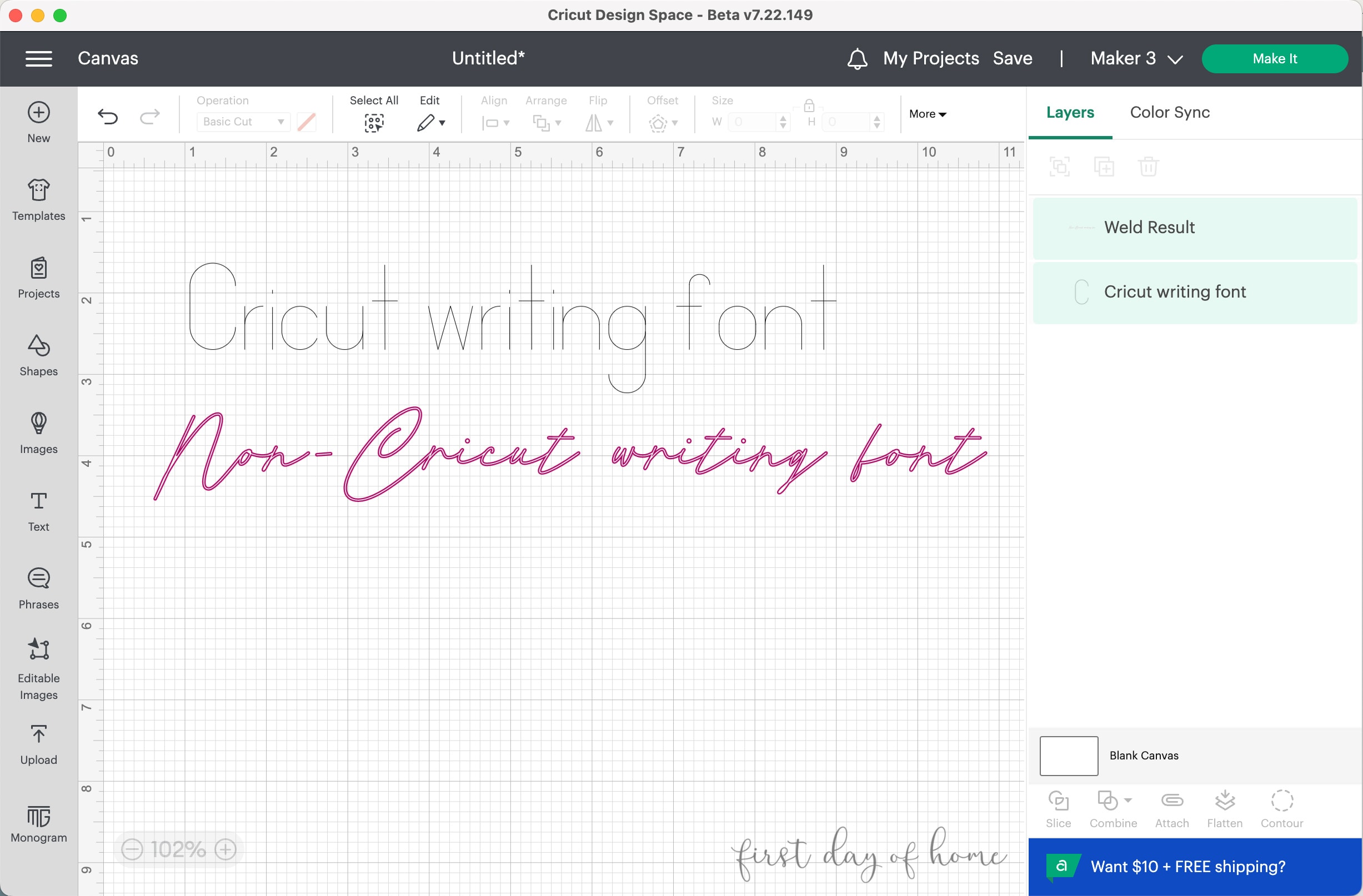
How to Minimize Unwanted Outlines
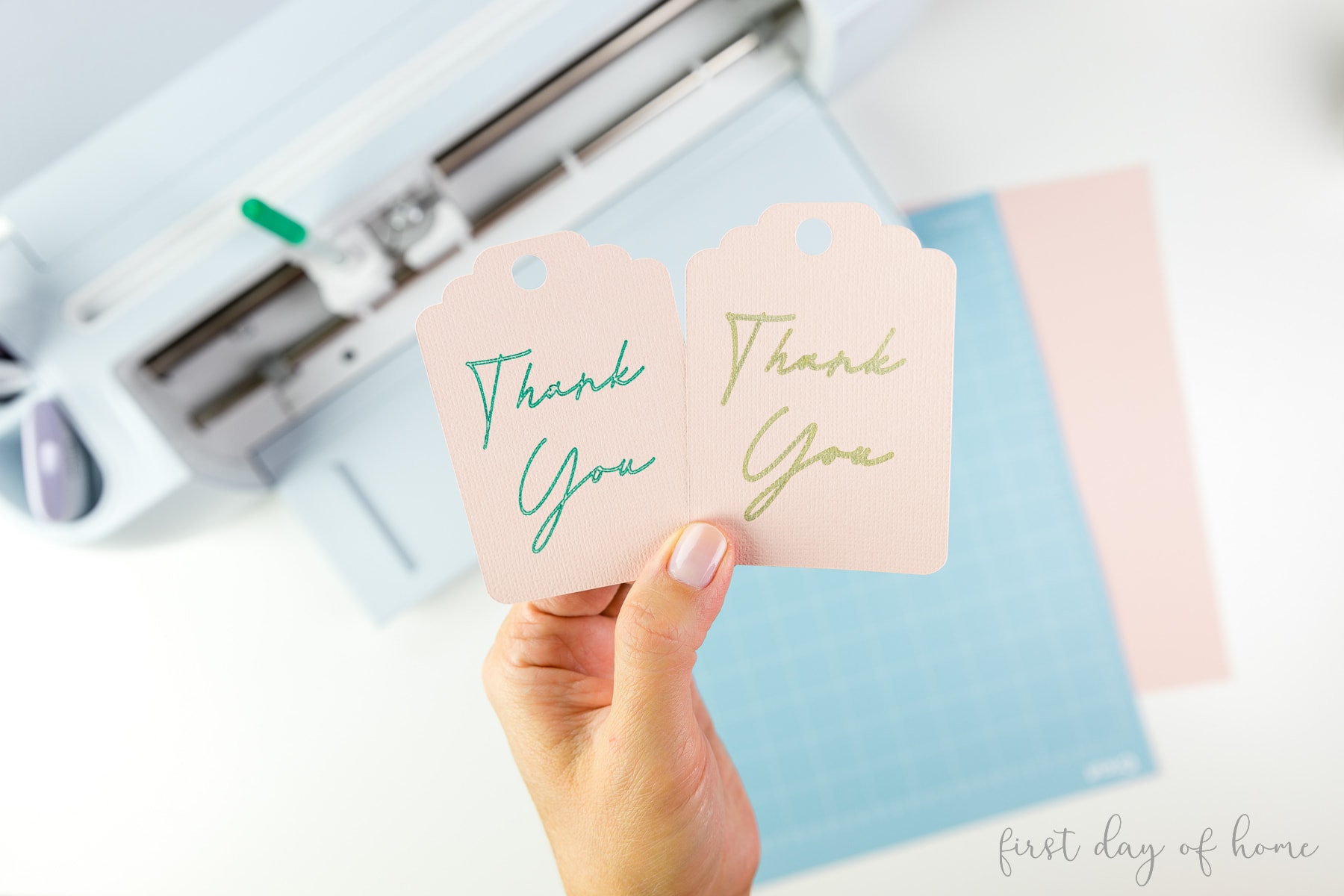
You can resize your text to make the outline less noticeable, and many of these non-Cricut fonts will still look beautiful as outlines. Also, I found using a Cricut marker (1 mm) disguises the outline because it draws a thicker line.
Remember to weld any script letters together to prevent them from overlapping. Once you weld your letters, you will not be able to change the font, but you can resize the words.
Here’s how the Antically font looks when drawn on cardstock with a glitter gel pen (0.8mm, left) vs. a marker pen (1mm, right):
With that caveat aside, enjoy these 15 free writing fonts that you can download into
Read the license terms for each font to know if they are for personal and/or commercial use.
Download Free Cricut Writing Fonts

Antically is one of my favorite free writing fonts for

This font has such a sweet and whimsical style that would work well for general greeting cards or as a farmhouse-style gift tag.

For the ultimate elegant writing font for

While this font isn’t strictly a monoline font, I do think it’s the perfect script font for weddings or bridal showers. If you use it for a larger-scale project, you can always fill in the outline with the pen or marker of your choice.

Pumpkin Pie Lattes is the perfect Rae-Dunn font for

Violetta Script walks a fine balance between fancy and casual. You’ll also get some extra glyphs (like longer swashes for certain letters), which is always a nice bonus.

Valentine’s Day font has a sweet and playful vibe that would be perfect for the holiday that bears its name. Plus, this font is free for commercial use!

Exquite is a sleek, all-caps writing font for projects needing a modern vibe. This font is free for commercial use!

For something off-the-beaten path, try this Daily Book font. This all-caps font could dress up a greeting card or add a fun accent to journaling projects. It comes in two versions: with and without stripes. Plus, it’s free for commercial use!

This font is totally unique because the outlines actually make it look more handwritten. I used this font to create a custom banner for my hot cocoa bar if you want to see how it looks when used as a

How fun is this Kinder Journey font? This could work well for any kids’ project that needs a playful style. The best part is, this font is also free for commercial use!

Beneath Your Beautiful has loads of character since it mixes capital letters and lowercase letters. This could be a fun font for pantry labels or notecards made with

For a cartoon-like writing font, try Summer Sunshine. You won’t be bothered by the outlines with this free writing font since that’s part of its charm.

For a simple handwriting font for

Another cartoon-ish font is Going to Do Great Things. It looks very much like human handwriting, giving it a charming feel.
More Free Design Resources
If you’re looking for more free fonts, you can check graphic design sites like Design Bundles or Font Bundles to sign up for programs with lots of freebies and monthly subscription plans.
Get 10 Free Designs!
To download 10 free designs, including fonts and SVG files, sign up below for Creative Fabrica’s All Access Free Trial. Upon the 10th download or after 1 month, the free trial converts into an All Access subscription of $9 per month. You can cancel at any time, no questions asked. I’m doing it myself!
The best part is that these designs include a personal, commercial, and print-on-demand license. That’s almost unheard of for digital download sites.
How to Use Your New Fonts in Cricut Design Space
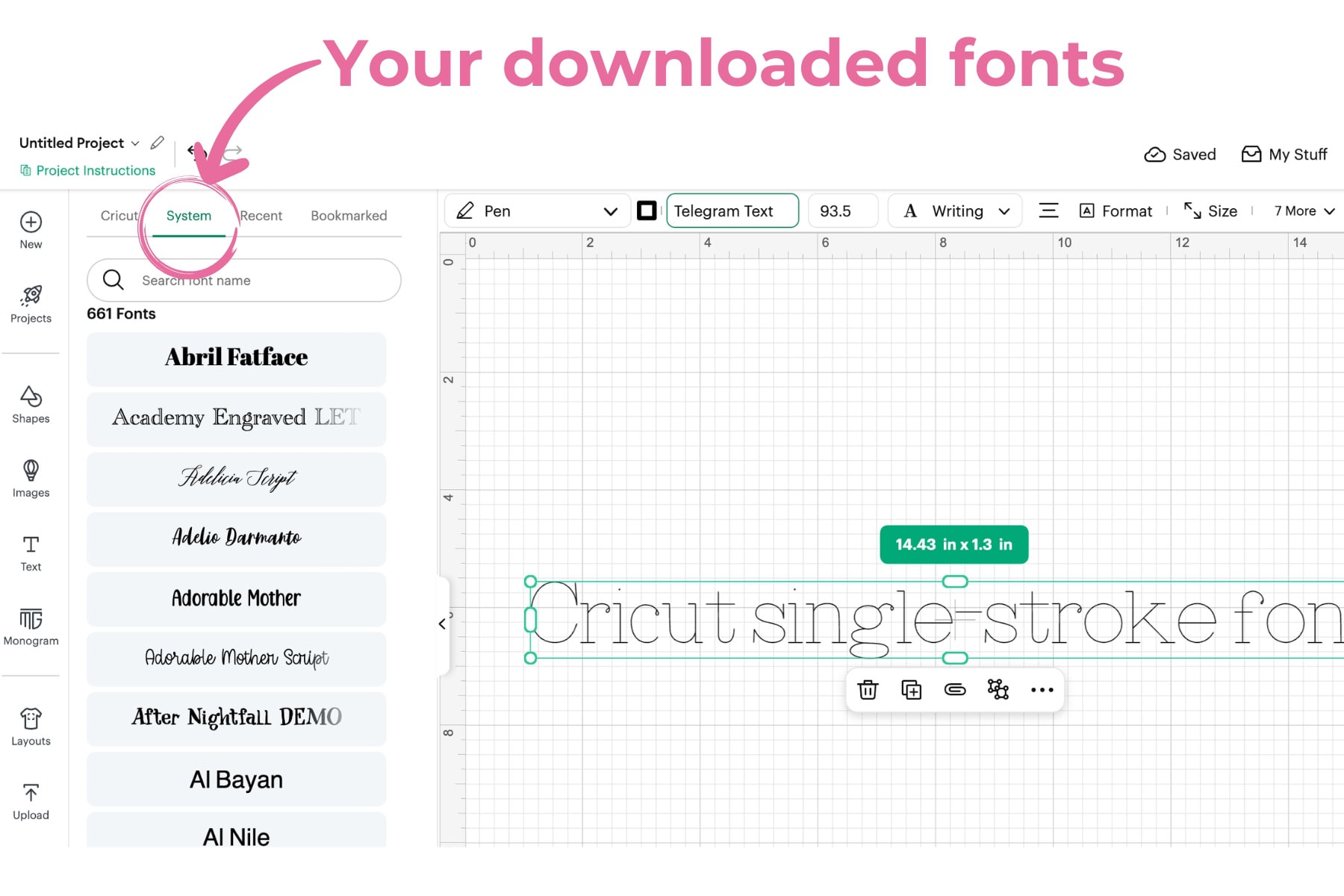
To use the fonts in Cricut Design Space, you’ll need to download them to your computer’s fonts directory or folder.
Install the Files
First, make a note of where you downloaded the files. You may need to “unzip” the files before you can install them.
You might encounter both TTF and OTF file types for some fonts. OTF is more current and offers additional features like ligatures and other glyphs in some cases, but either will typically work.
Launch Cricut Design Space
If you have
Your new fonts should now be visible in the System tab within your Font menu, as shown below.
Another Alternative for Free Writing Fonts
If you’re really set on finding a free single-stroke writing font, check out this tool. It generates an SVG file for any text you write. This is the only way I’ve found to import single-stroke fonts. It also works with Silhouette, Glowforge, and laser cutting machines.
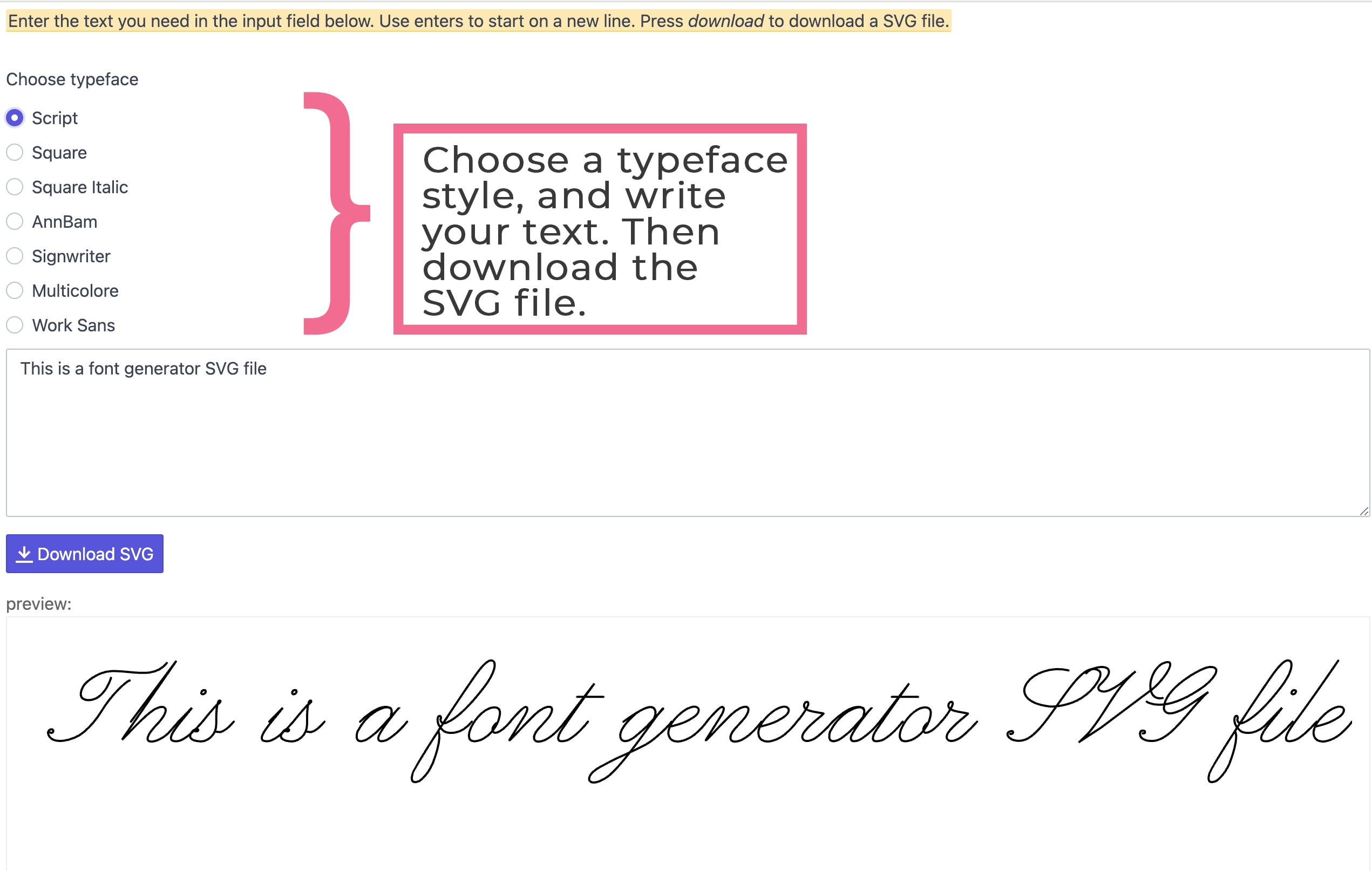
You can then upload the SVG file in Cricut Design Space and resize it. However, you can’t edit the text within
Creative Ways to Use Writing Fonts for Cricut
Handwriting fonts are great for the personalization of gifts, like creating monograms on tumblers or a handmade ornament. Here are some ideas to get you started, but you may want to check out these handmade Cricut gift ideas too!
- Personalized t-shirts
- Infusible ink coffee mugs
- Greeting cards
- Gift tags
- Pantry organization labels